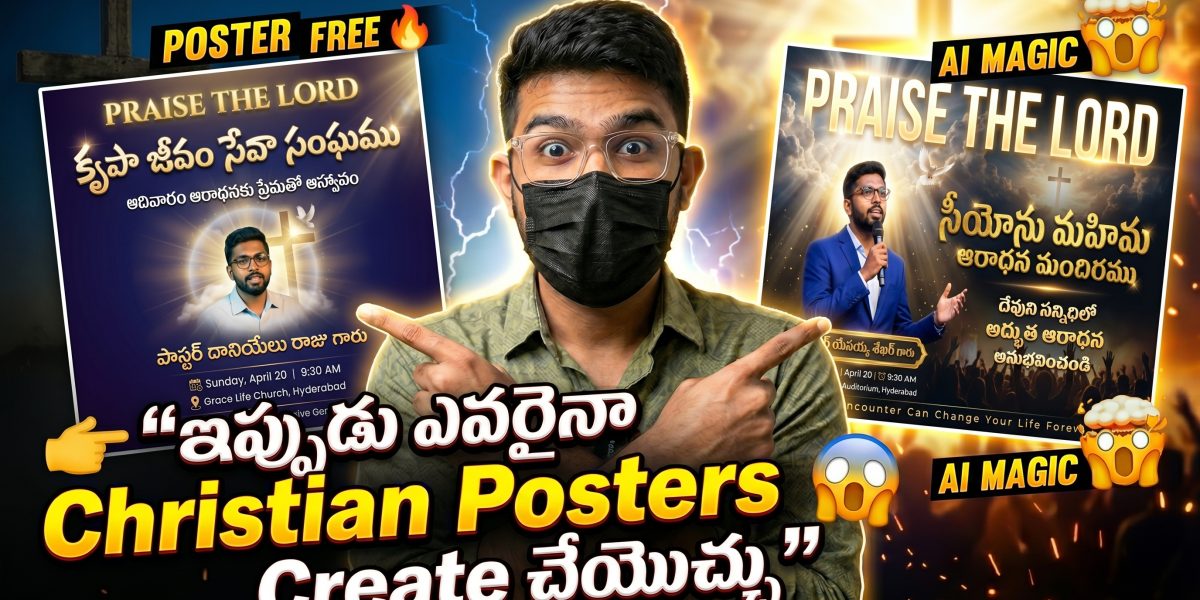
Praise the Lord Hallelujah hey brothers and sisters my name is Sandeep welcome back to Holy Tech Studio now many people are asking me bro bro for whom are you making these posters for whom are you making these designs what is the software bro Photoshop or Canva those whom I told are not believing me bro seriously I am telling now I am using an amazing tool that tool name is FlowAI yes bro with AI you can create posters that that too our Telugu Christian posters for Sunday school, for Bible verse posters, church For events, for WhatsApp status, all kinds of posters can be created with this tool. So in this video, I am telling you step by step. What to do? How to do it? Full process. So watch the video till the end. I guarantee. Poster design in your life will become easy. Okay, let’s get started.
Watch Full Video In Youtube
What is Flow AI?
Understand The Basics
“First, let’s understand the basics. What is Flow AI? Flow AI is an AI-based design tool. You just need to tell it in text, like “I want an image like this” or “I want a poster like this,” and it will generate it for you. Simply put, even if you are not a designer, you can create professional-level posters.
Bro, honestly, I’m telling you, I don’t know Photoshop, and I don’t have a design background.
I’m just a normal Christian young man, but after this tool came, creating posters in my life became very, very easy. Now many of you may think, “Bro, all these tools are in English, right? How can we make posters in Telugu?” Bro, correct doubt. That’s exactly what I’m explaining. You can add Telugu text. You can add Telugu Bible verses.”
Make Posters
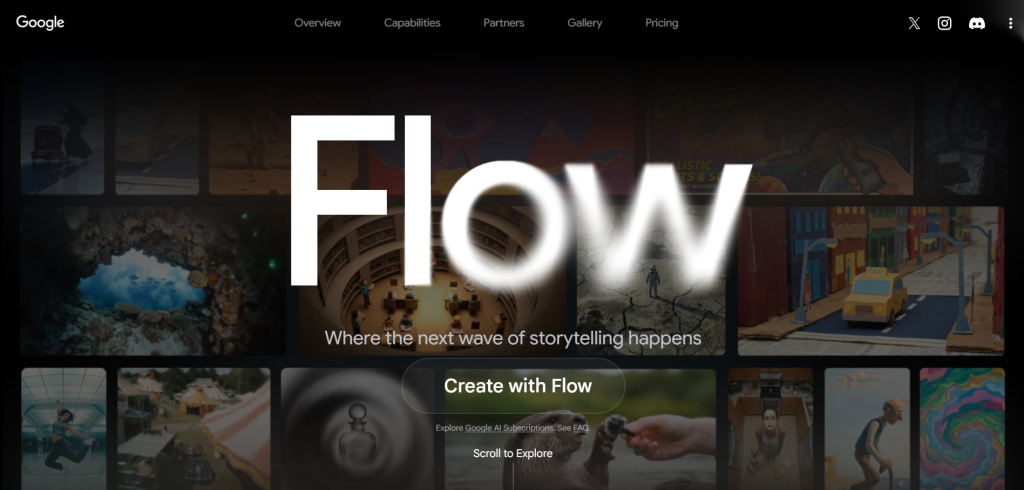
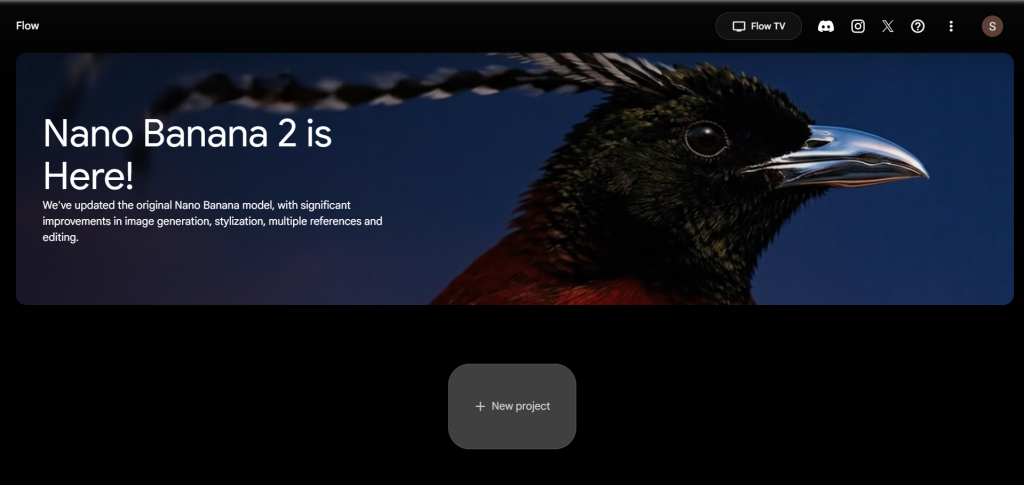
“Fully, we can make posters for our Telugu Christian community. Now let’s see how to do it. Okay brothers, now look at my laptop screen. First, open your browser. Chrome is better, type Flow AI there. Okay brothers, now you can see on your screen this is the Flow AI website. We are going to create all our posters using this website.
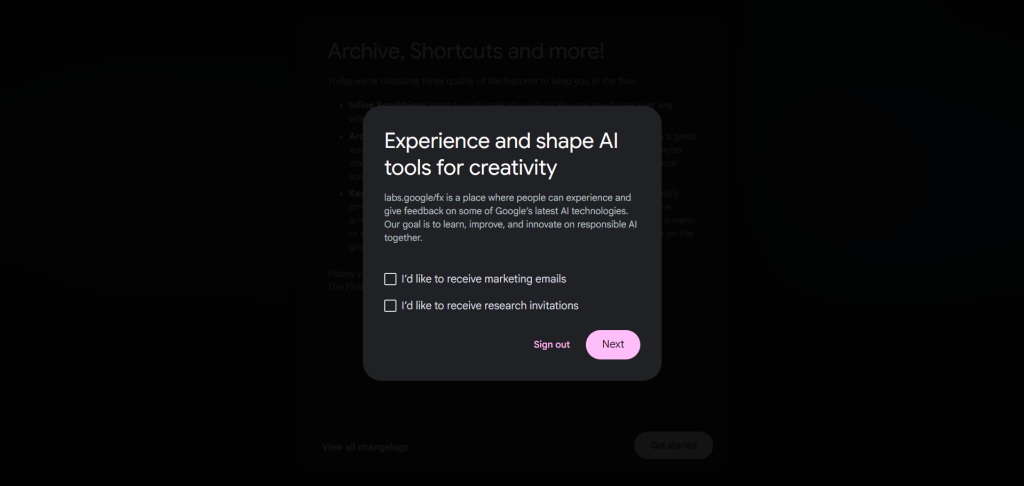
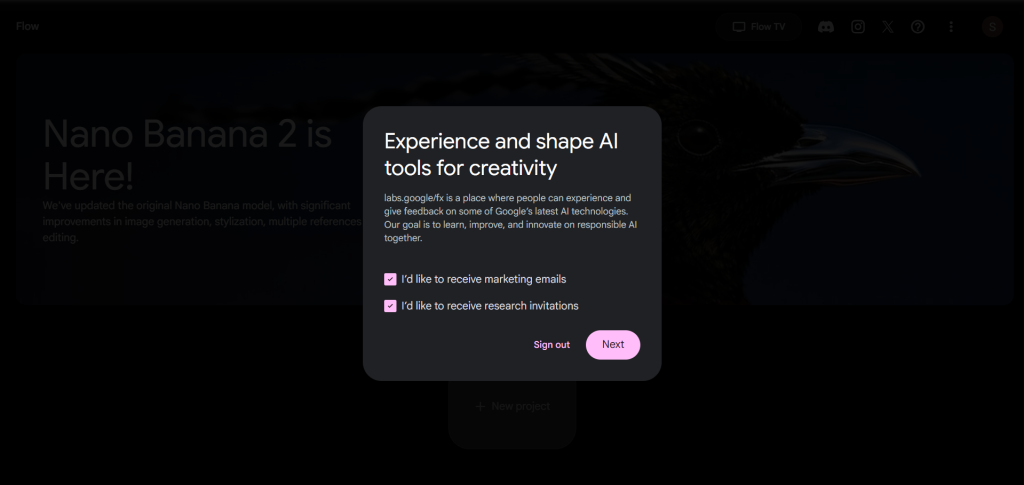
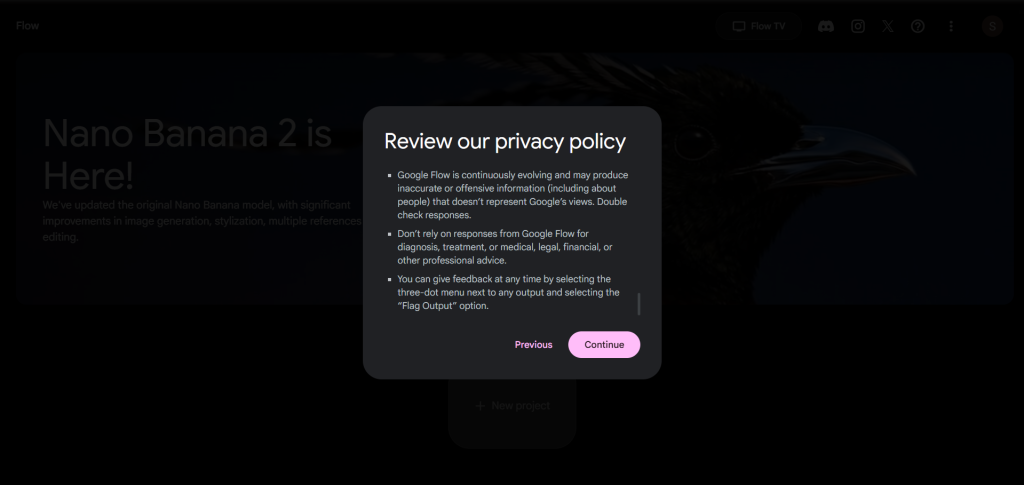
Now at first, you will see an option called Create with Flow. Click on that button. One thing to note brothers, this website logs in automatically. As soon as you click, it will automatically log you in, don’t worry. After auto login, it will ask for some permissions. There, click all the tick marks. After ticking all, click on the Next button.
Then scroll down a little, there you will see the Continue button. Click on that button. Done, now we have entered the main interface of this website. Simple right? Okay now don’t think too much, just click on New Project. Clicked? Good. You have now entered the project.
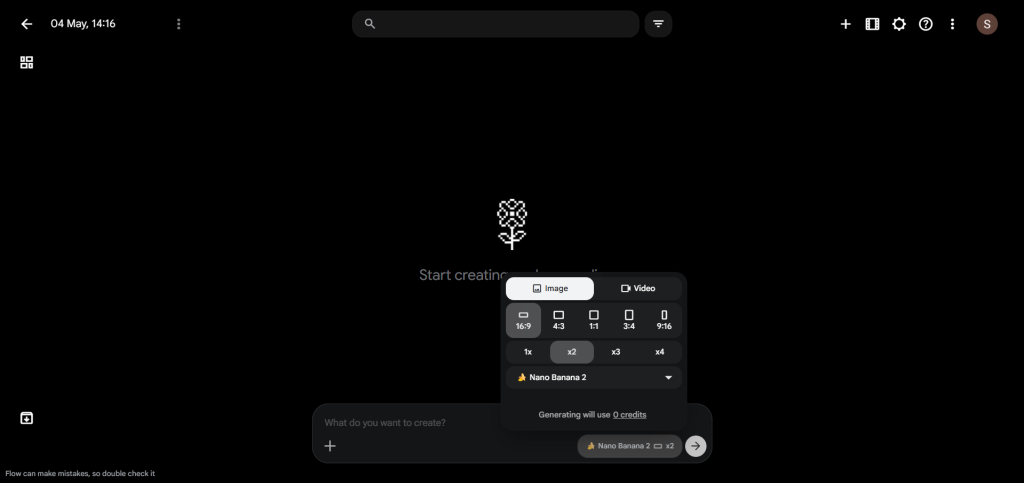
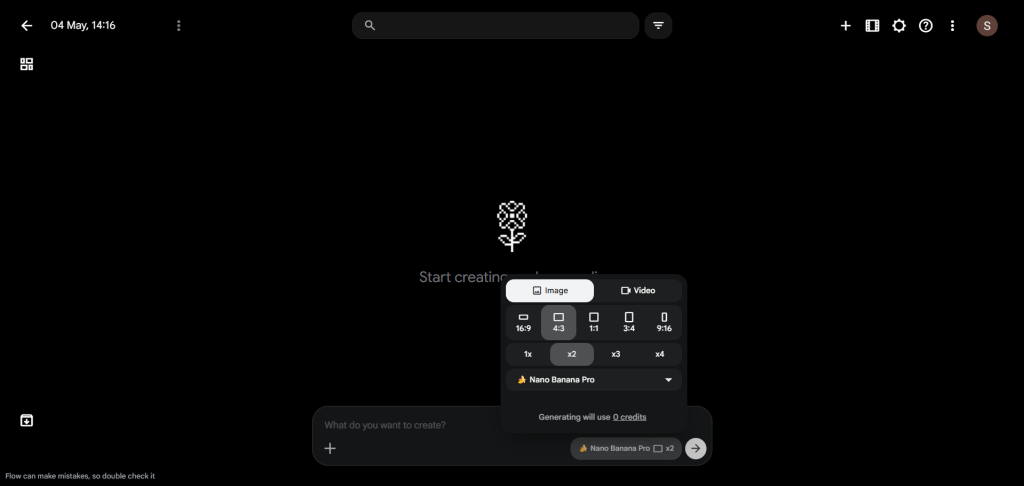
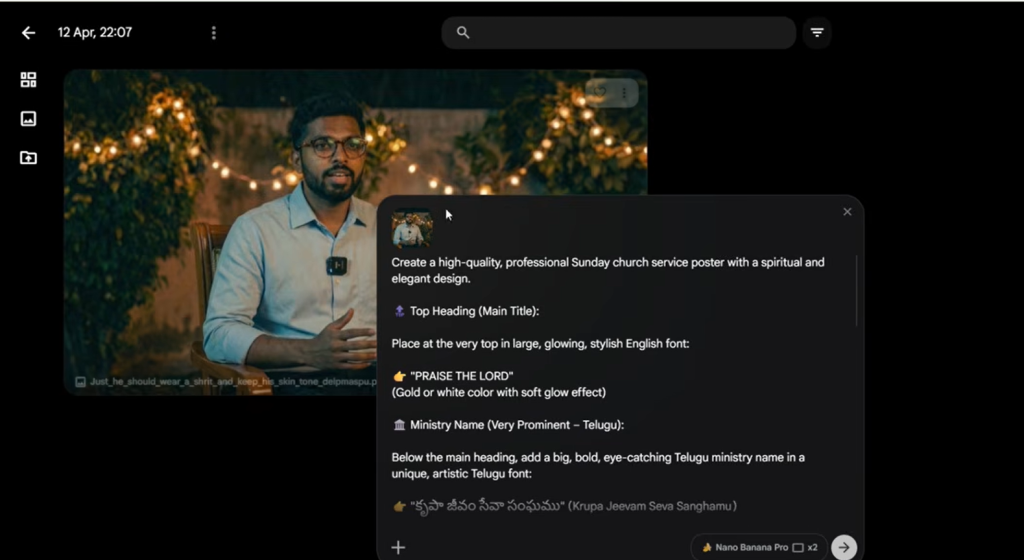
Now if you look carefully, you will see the option to select a model. There Nano Banana 2 will be selected by default. But we do not want that, select Nano Banana Pro. In the Pro version, the quality comes much better bro. Next, in the setting per generation option, set it to two images. You will get two images and you can choose the one you like.”
Image Ratio
What is a prompt bro?
“Now the important part is selecting the image ratio. Since we are creating posters, three options will work really well for you. If you want a 4:3 landscape style poster, if you want a 1:1 square poster, it is perfect for Instagram, and 3:4 portrait style is good for WhatsApp status. I am now selecting the 4:3 ratio. Okay, now our setup is ready, let’s create the poster.
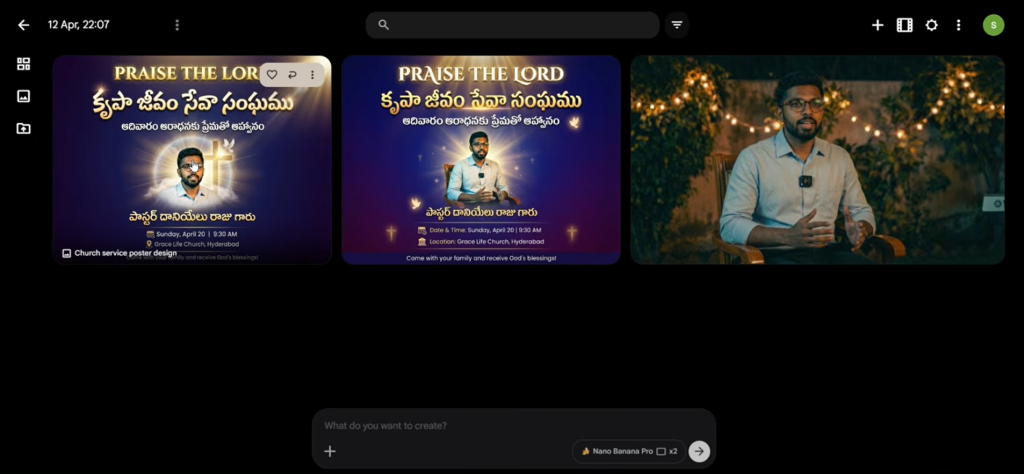
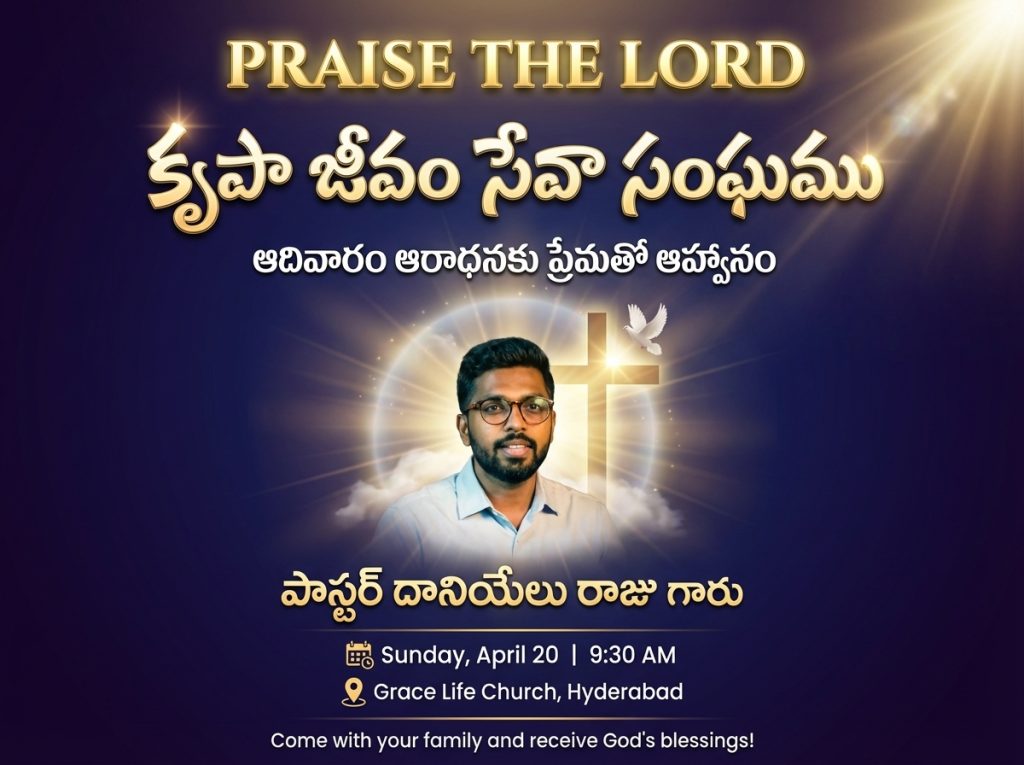
Okay brothers, now we need to create the poster. To create a poster, we need a prompt. What is a prompt bro? Simply put, you need to tell AI that you want a poster like this. Whatever you describe is called a prompt. But don’t worry, I have already written prompts for three posters. You can just copy that prompt, paste it, and create the poster. It is very simple. I will explain fully how to do it. Another important thing is, you can add your church name in the poster, you can also include your pastor’s photo. I will tell you step by step how to add time, place, date, and all details. Don’t worry, okay. First, I will explain about the first poster. This poster is designed for Sunday church service. Actually, these three posters are also designed for Sunday church only. Let’s see how our first poster will look. Okay bro, now you can see the prompt I already wrote. First, I added “Praise the Lord.” Next, I added color. In that color section, I placed the ministry name I like. You can just change that ministry name with your ministry name. Also, if you want to change the next color, no problem, just put your preferred color in that color section. Next, there is the text “Sunday,” right? You can also change that text with any text you like.
“
Second Poster
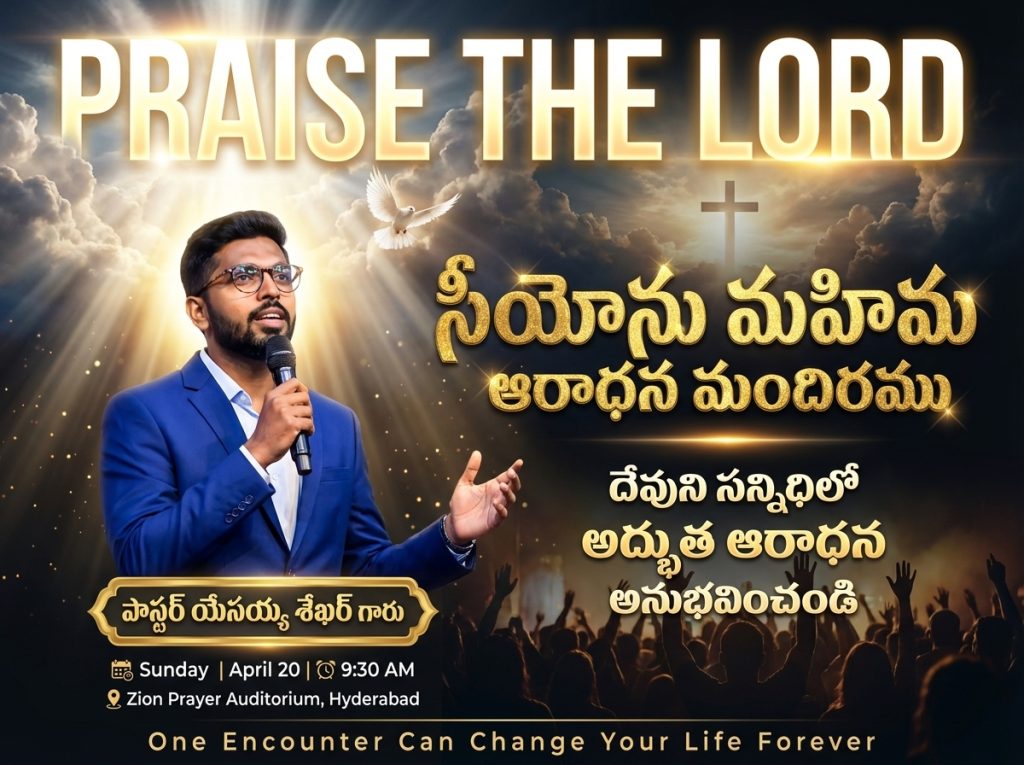
“Bro, look, the poster was ready in one minute. See how beautiful it came out. This is just a basic design bro. I am saying this is basic. I will bring even more professional level prompts for you. And these prompts are very important bro. I have also put these prompts in the last of this blog You can check properly and edit them. Use those prompts and create your posters.
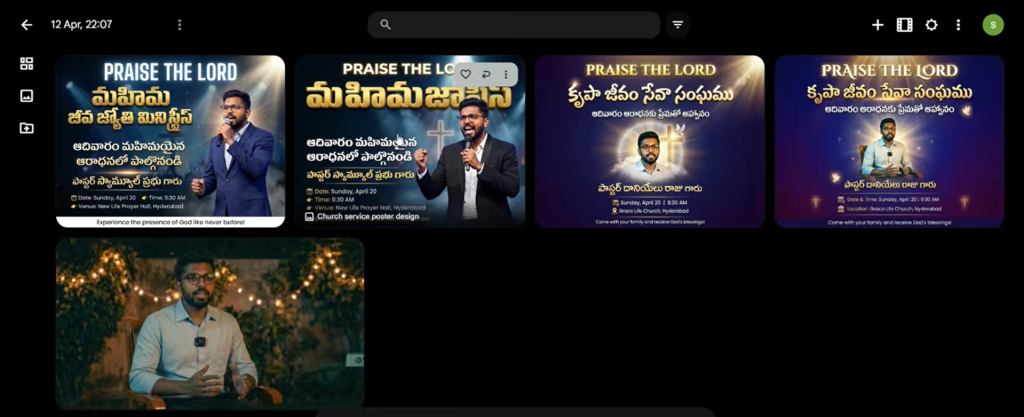
Glorify the name of God brothers okay bro, now let’s go to the second poster. The second poster prompt should also be edited just like the first poster. Same process, edit the text in the prompt as you like, then change the ministry name, add the place, add the pastor’s name, upload the pastor’s photo, after editing everything click on the arrow mark. Bro, look at how professional it came, how beautifully the poster design came. I have to tell one special thing, brothers. In this poster, I told it to put a mic for the pastor. I told it to make him wear a suit. I also specifically said that it should be designed in the post as if he is giving a message. Look, it came exactly like that. It’s good, right brothers? If you want many more poster designs like this, many blog will come on this website, so subscribe with mail or join in our whatsapp group and telegram channel. Don’t miss even one blog. Let’s see the next poster. Okay brothers, now we have come to the last poster. This is the final poster in this blog. Follow the same process, change the church name, put the pastor’s name, upload the photo, after editing everything click on that arrow mark. Bro, look at how beautifully it was designed, also look at the suit, how perfectly it came. Super, right brothers? I have to tell one thing.
“
Final Poster
Ending
“You have read this blog till now means you have interest in designing. You have a desire in you to serve God. And you have passion in you to learn new things. That is very great bro so subscribe to our website. How to earn money using this AI, those tips and tricks I will tell in upcoming blogs. Very valuable content is coming bro, one small request brothers.
Share this with your friends who do not know poster designing. Tell in the comment section how you felt about this blog and what kind of posters you want more. The type of posters you tell, I will definitely cover in next blogs for you and share. Thank you so much brothers and sisters, praise the Lord, God bless you all, see you in the next blog
“
3 Church Poster Prompts
PROMPT 1
📝 AI PromptAI Prompt
🔒
Prompt is Locked
Click the button below and wait 30 seconds to reveal the prompt.
30
Generating prompt...
Please wait while we prepare your prompt
💡 Tip: Read the article while you wait!
PROMPT 2
📝 AI PromptAI Prompt
🔒
Prompt is Locked
Click the button below and wait 30 seconds to reveal the prompt.
30
Generating prompt...
Please wait while we prepare your prompt
💡 Tip: Read the article while you wait!
PROMPT 3
📝 AI PromptAI Prompt
🔒
Prompt is Locked
Click the button below and wait 30 seconds to reveal the prompt.